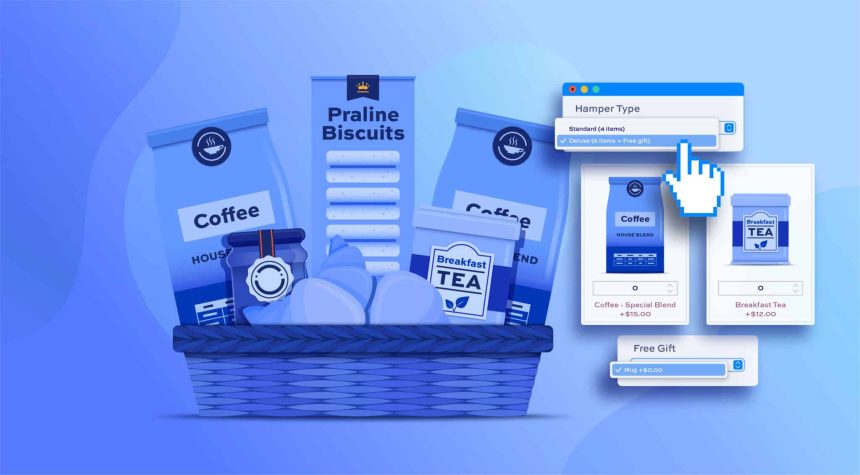
Selling individual products works well for many stores, but gift shopping follows a slightly different pattern. When people are buying gifts, they usually want to combine several items together, create a thoughtful package, and sometimes add a message for the recipient. A store that allows customers to build their own gift boxes instantly becomes more appealing because it offers convenience and personalization in one place.
WooCommerce does not natively allow customers to combine multiple products into a custom gift box. Store owners often try a few different approaches. Some attempt to create bundles through custom coding, while others rely on theme settings or manually curate product packages. These methods may work in limited situations, but they usually lack flexibility and can be difficult to maintain as the store grows.
A more practical approach is to allow customers to build their own bundles using WooCommerce mix and match products functionality. With the right plugin configuration, shoppers can choose items they like, add them to a single box, personalize the bundle with a message, and complete the purchase easily. This not only improves the shopping experience but also increases the average order value.
The Importance of Personalized Gift Boxes for Online Stores
Gift bundles have become extremely popular in online retail. Whether it is a holiday gift basket, a birthday treat box, or a corporate appreciation package, customers often prefer buying several items together rather than purchasing them separately.
Personalized gift boxes offer several advantages for WooCommerce stores:
• Customers can create unique combinations that suit the recipient
• Stores encourage customers to purchase multiple items in one order
• Gift packaging becomes easier to manage within a single product
• Personalized notes add emotional value to the purchase
• Curated bundles help customers make faster buying decisions
Instead of forcing shoppers to search through multiple products and manage them individually, gift boxes bring everything together in one organized selection.
Methods for Creating Gift Boxes in WooCommerce
Before choosing a solution, store owners typically explore a few methods to offer gift bundles.
1: Custom coding
Developers can build custom bundle logic within WooCommerce. This method allows complete control but requires technical expertise and constant maintenance. Updates to WooCommerce may also require code adjustments.
2: Theme-based bundle options
Some themes offer basic grouping features for products. These are helpful for simple bundles but rarely support advanced configurations like dynamic pricing, product limits, or personalized notes.
3: Plugin-based solutions
A plugin designed specifically for product boxes offers the most flexibility. Using a WooCommerce mix and match products plugin by Extendons, store owners can create bundles that customers customize themselves. The process becomes easy to manage from the backend while giving shoppers full control over their selections.
A General Idea About the WooCommerce Mix and Match Products
The idea behind WooCommerce mix and match products is simple. Instead of selling items individually, you allow customers to build a box by selecting several products from a defined collection.
For example, a gift box might allow customers to choose:
• A chocolate bar
• A scented candle
• A greeting card
• A small decorative item
Customers fill the box with their preferred items, and the total price adjusts based on the selected products or predefined pricing rules.
This approach works extremely well for stores selling:
• Gourmet foods
• Beauty products
• Coffee or tea collections
• Corporate gifts
• Holiday bundles
• Subscription starter kits
The mix and match WooCommerce functionality creates a guided shopping experience where customers interact with products rather than simply adding them to a cart.
Key Features That Make Gift Boxes Work
To successfully offer personalized gift bundles, a store needs several capabilities working together.
Custom product boxes
Store owners can create a box that contains a selection of products. Customers then choose which items they want to include inside the box.
Pre-filled bundles
Instead of starting with an empty box, store owners can prefill recommended products. Customers can keep those items or replace them with others.
Flexible pricing options
Gift boxes can follow different pricing models:
• Fixed price for the entire box
• Per item price with a base cost
• Per item price without a base cost
This flexibility allows stores to control profit margins while keeping pricing transparent for customers.
Support for simple and variable products
Gift boxes can include both simple items and product variations. This means customers can choose specific product versions such as flavor, size, or color.
Let Your Customers Add Gift Messages
One of the most valuable features of personalized gift boxes is the ability to include a message. When customers send gifts, they often want to attach a note for the recipient.
The mix and match WooCommerce configuration allows stores to enable gift messages directly within the product box interface. Customers can write short notes that accompany the bundle, making the purchase feel more thoughtful and personal.
This small feature often plays a major role in gift purchases because it removes the need for separate communication after checkout.
Managing Product Limits Inside Gift Boxes
When allowing customers to build their own bundles, store owners still need control over how the box works.
Several limits can be applied:
• Total number of products allowed in a box
• Maximum quantity for individual products
• Minimum items required before checkout
• Limits on how many boxes customers can purchase
These controls help maintain inventory balance while ensuring that customers create bundles within defined guidelines.
Display Layouts for Product Boxes
The visual presentation of product boxes plays a major role in user experience. Customers should easily see available items and understand how their box is filling up.
The WooCommerce mix and match products layout options allow stores to display products in different formats:
• Compressed grid layout
• Detailed grid layout
• Compressed list view
• Detailed list view
• Product layout grid
• Product layout list
These layouts give store owners the flexibility to match their store design while keeping the selection process clear and intuitive.
Improving Customer Experience with Quick Product Views
When customers are selecting items for a gift box, they often want to quickly check product details before adding them.
Quick view popups help by allowing shoppers to preview product information such as images, descriptions, and pricing without leaving the bundle page. This keeps the shopping flow uninterrupted and reduces friction during the selection process.
Allow Checkout with Partially Filled Gift Boxes
Another important feature is allowing customers to complete checkout even if the gift box is not completely filled.
Some shoppers may want to purchase a smaller bundle rather than filling the entire box. Enabling checkout for partially filled boxes helps prevent abandoned carts and gives customers more flexibility in their purchases.
This option is especially useful for stores that sell premium products where customers may prefer smaller curated bundles.
Boosting Sales with Featured Products
When customers are building a gift box, they may not always know which products to choose first. Highlighting featured items inside the box helps guide their decisions.
Featured products appear at the top of the selection area, making them more visible. Store owners can use this feature to promote best sellers, seasonal items, or higher margin products.
Applying Discounts to Bundle Items
Gift boxes also create opportunities for promotional strategies. Stores can apply discounts to certain products when they are included in a bundle.
Discounts can be configured in two ways:
• Fixed discount amounts
• Percentage-based discounts
These promotions encourage customers to add more products to their boxes, increasing the overall order value.
Final Thoughts
Personalized gift boxes have become one of the most effective ways for WooCommerce stores to increase engagement and sales. Instead of purchasing single products, customers enjoy building thoughtful bundles that reflect their preferences and the occasion.
There are several ways to offer bundles, including coding solutions and theme features, but these methods often lack flexibility or require ongoing development work. Using WooCommerce mix and match products simplifies the process while giving store owners full control over how bundles work.
Key highlights from this guide include:
• Allow customers to build their own personalized gift boxes
• Support flexible pricing structures for bundles
• Enable gift messages for special occasions
• Display products in intuitive grid or list layouts
• Manage product limits and box quantities easily
• Promote featured items and apply bundle discountsFor stores that want to offer a more interactive shopping experience, mix and match WooCommerce functionality provides a powerful solution. It allows customers to combine products in meaningful ways while helping businesses increase order value and create memorable purchasing experiences.